
Connect Your Sensor & Unlock a Lifetime Subscription
Watch the Tutorial:
Step 1
Once you receive your sensor, download the HeartMath app from your phone’s app store. You will need your sensor to unlock your lifetime subscription.
Step 2
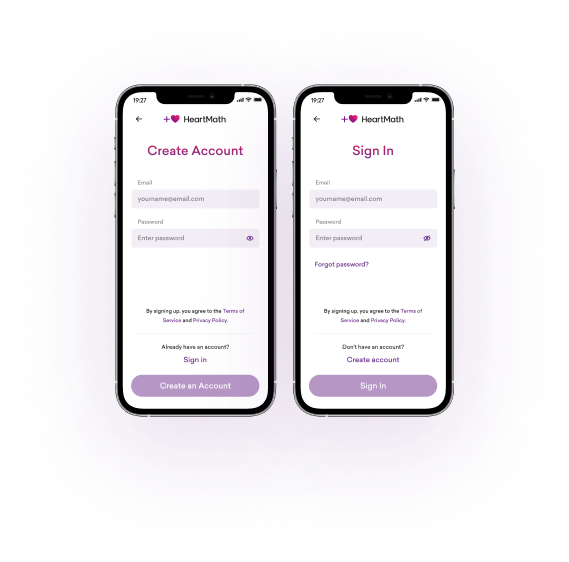
Sign in or create an account.*
Step 3
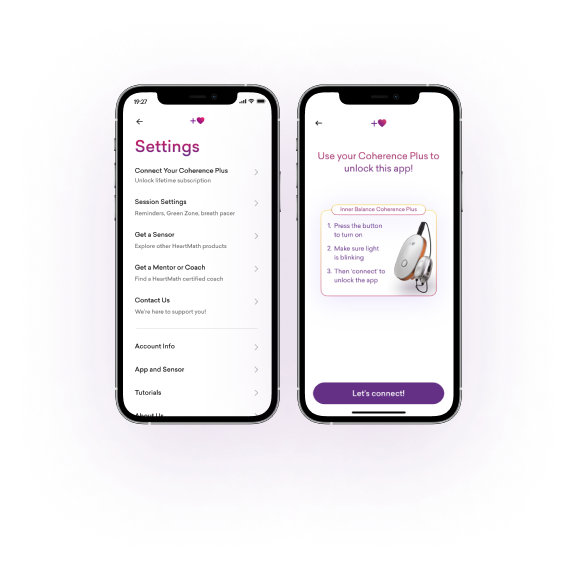
Go to App Settings  . Select “Connect Your Coherence Plus.” Turn on your sensor. Tap “Let’s connect!”
Step 4
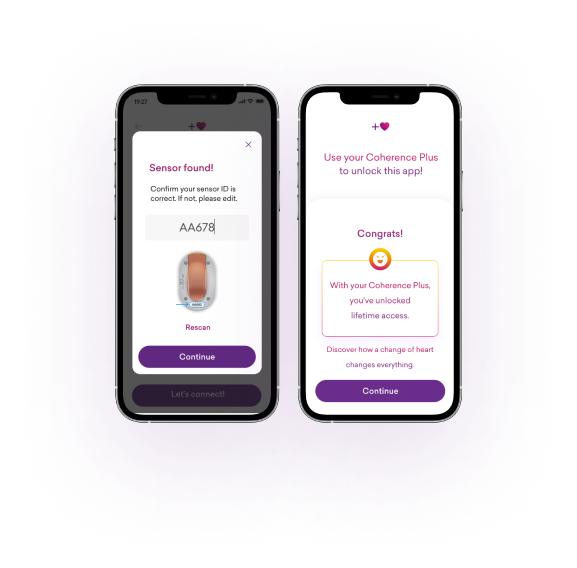
Follow the instructions to connect your sensor to the app and unlock your lifetime subscription.
Step 5
Tap the purple heart anytime you want to practice coherence. Personalize your coherence session by adding sound and/or a timer.
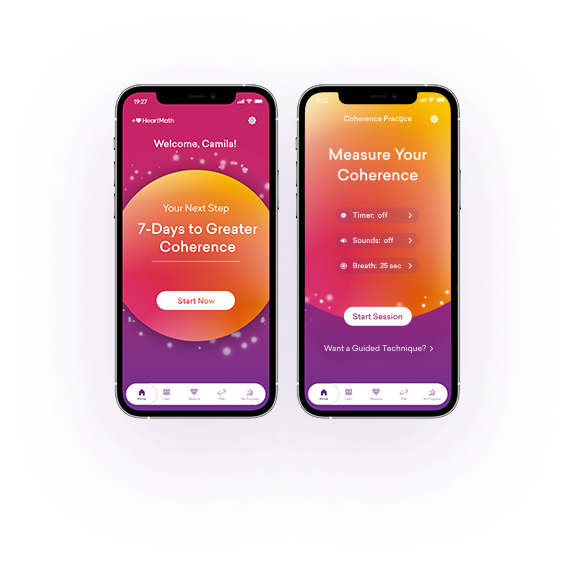
- Set a timer for your desired practice duration.
- To practice with your eyes closed, select sounds to guide your breathing and indicate changes in your coherence levels (low, medium, high).
- Adjust the breath pacer to a comfortable pace that’s right for you. You can also adjust the breath pacer in your app’s settings.
Step 6
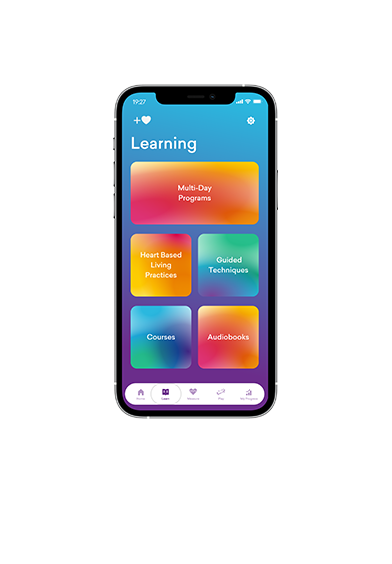
Tap the Learning button to explore multi-day programs, courses, audiobooks, and guided techniques.
* If you already have a HeartCloud account or purchased the sensor from HeartMath.com, sign in using the same email and password. If not, feel free to create a new account. If you encounter any issues while signing in, try resetting your password.