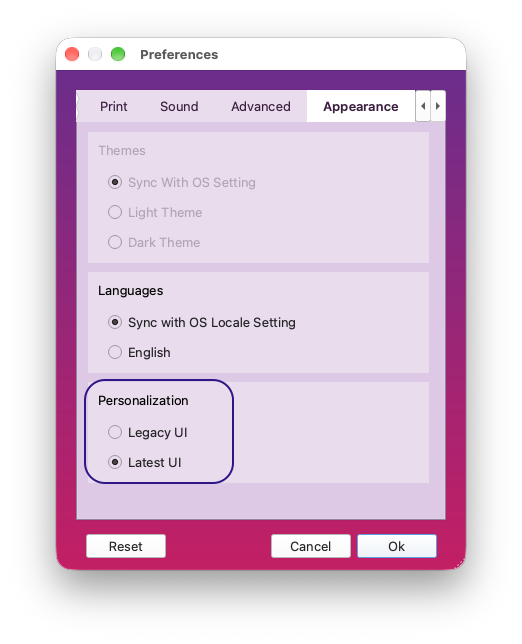
If you’d prefer the previous emWave look while you get used to the emWave 4.0 redesign, you can switch back at any time. This is a visual style switch only. Your content and the navigation itself stay exactly the same either way.
- Open Preferences.
- Go to the Appearance tab.
- Under Personalization, choose Legacy UI to use the previous app view, or Latest UI to use the new emWave 4.0 view.