
Convert a Session to an Assessment
Here is a procedure to convert a previously ran Session to an Assessment.
- Open the Review Progress screen

- Select and Open the Session you would like to convert to an Assessment
- Click on Run (at the top left of the screen) and select - Convert Assessments
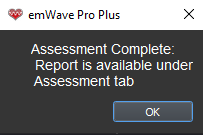
Your Session assessment conversion is now complete and may be viewed under the Assessments icon at the top of the screen, in the HRV Assessment section.
Please be aware that when you make this conversion the system will automatically assign the current date, not the original date of the Session. We recommend that you make note of the original Session date in case you want to make any comparisons from multiple Sessions. The orignal Session will remain intact in Review Progress.
All converted Sessions will be displayed in the HRV Assessment section of the Assessment feature. It's important to note that Sessions with lengths shorter than 2 mins. cannot be converted. This includes any 1-Minute HRV Deep Breathing Assessments.